
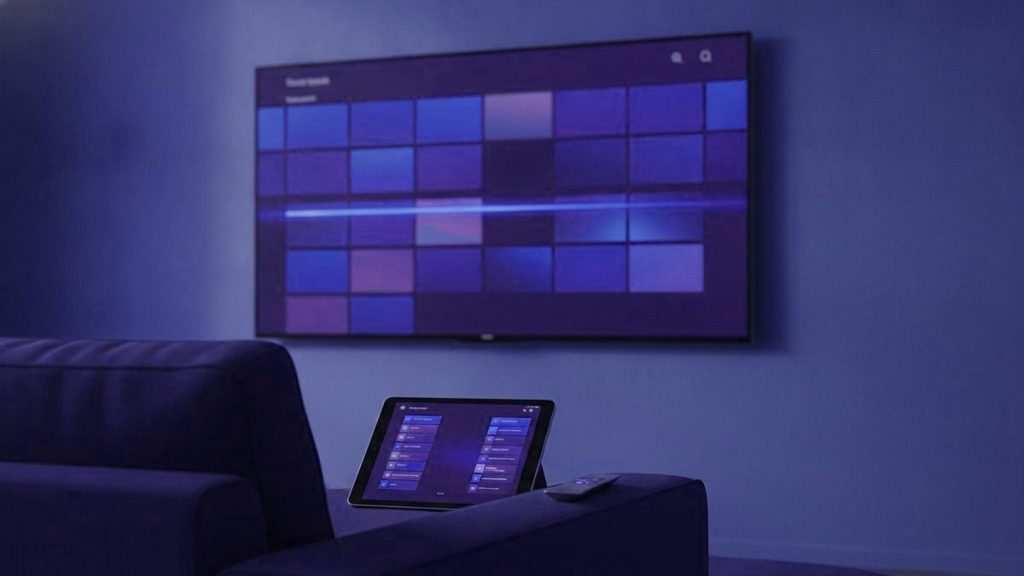
The player you choose changes the experience more than most people expect, and switching costs nothing. On Android hardware the answer is TiViMate. On everything else it is IPTV Smarters Pro. Below is why, plus the single misunderstanding that causes more confusion than everything else in this subject combined.
Before anything else
An IPTV player holds no channels. It is an empty shell until a subscription is entered into it. Installing one and finding nothing there is not a fault. It is how every one of them works.
The shortlist
| Player | Platforms | Cost | Where it wins |
|---|---|---|---|
| IPTV Smarters Pro | Nearly everything, Apple and Samsung included | Free | Being present on hardware TiViMate never reaches |
| TiViMate | Android TV, Google TV, Firestick, Android boxes | Free tier; Premium ~$10/yr | Its guide, which has no real rival |
| iPlayTV | iOS, tvOS | One-off purchase | Looking the part on an Apple TV |
| Smart IPTV | Samsung, LG | Small one-off per TV | Staying quick on tired television hardware |
| GSE Smart IPTV | iOS, Android | Free tier | Letting you change the decoding engine |
| VLC | Everything | Free | Proving a playlist works, in half a minute |
TiViMate, and why people end up there
TiViMate wins on the one thing you interact with most: the programme guide. It presents a genuine grid, channels down one side and time across the top, browsable while something keeps playing in the corner. After a fortnight with a basic player, this is the feature people move for.
It matters more than usual if you are watching across time zones. A grid you can read at a glance is the difference between knowing when a fixture from home actually starts where you are, and doing arithmetic in your head every evening. Set the time zone in the app settings on the first day and the whole problem disappears.
One playlist is all the free tier manages, and for ordinary viewing that is ample. Recording, several playlists, a scheduler and multi-view are what Premium adds, and on a Saturday afternoon of football multi-view is the whole case for it. Reckon on $9.99 a year, or a lifetime licence in the mid-thirties paid once.
One quirk catches very nearly everybody: Premium is bought through a separate app called TiViMate Companion on a phone, not inside TiViMate on the television. The platform limit is absolute too. Android only, with no Apple, Samsung or LG build in existence, and the similarly named apps in those stores are unrelated products.
IPTV Smarters Pro, the safe default
Smarters is the most installed player in this category, and the reason is reach rather than refinement. Android, Firestick, Apple TV, iPhone, Samsung, LG, Windows, Mac. One login covers all of them.
That breadth is worth more to a household spread across countries than any feature. When a parent in another country needs the same setup explained down a telephone line, being able to describe screens that look identical to your own is the difference between a five-minute call and an hour of frustration. Whatever hardware they happen to own, this runs on it.
It is free with no paid tier, which occasionally raises suspicion. The business model is that providers commission branded versions of it; the public build costs nothing and always has. The guide is functional rather than good and the interface has aged, but it is dependable, and dependable counts for a great deal when somebody else in the house is the one using it.
Smart IPTV and the MAC address business
Smart IPTV, written SIPTV about as often, was made for Samsung and LG sets, and on first meeting it appears to be broken: there is no login screen anywhere in it.
What it shows instead is the television’s MAC address. You then take that MAC to the developer’s site on a phone or laptop and post your playlist against it, and the set fetches it from there. The design is deliberate, and it is the reason the app remains quick on television hardware that labours under anything more demanding, which covers a great many of the sets already screwed to the wall in rented flats.
Seven days come free, and then it wants a small once-only activation covering that set, which goes to the developer and has no bearing on your subscription at all. Reinstall the app, or reset the television, and the stored playlist goes with it. That is the explanation behind nearly every “playlist expired” message anyone reports.
Apple: a narrower field
With sideloading closed off, the choice narrows. Start with IPTV Smarters Player, free on both iOS and tvOS. iPlayTV asks a few pounds and is considerably better looking, which is worth paying if the Apple TV is the screen you use most. GSE stays on the list as a fallback purely because it lets you change decoding engine, and that occasionally revives a channel nothing else will play.
Be careful searching the App Store: several unrelated apps use names deliberately close to TiViMate, which does not exist on Apple in any form. There is also a wrinkle for anyone who has moved: apps are tied to the App Store country of your Apple ID, so a player you bought at home may not be visible in your new store. Signing back into the original account to redownload it is the usual answer.
What separates a good player from a poor one
- Guide quality. You spend more time in the EPG than anywhere else. A bad one makes a good subscription feel worse than it is.
- Time-zone handling. A guide that cannot be set to your local time is close to useless when the broadcaster is on another continent.
- How fast it changes channel. The delay between the button and the picture. TiViMate is visibly quicker than most of the field.
- Decoder choice. Being able to move a channel between hardware and software decoding resolves a startling proportion of dead-channel reports.
- Favourites it does not forget. Curating forty channels is the thing that makes several thousand of them usable, and a player that loses that list is unusable in practice.
Practical notes
Choose Xtream over M3U wherever a player offers both. Xtream pulls the guide and the on-demand library automatically; an M3U link frequently needs the guide adding separately, and a player without a guide is much harder to live with.
Your credentials work everywhere at once. The same three values configure every device you own. What limits you is simultaneous streams, which is a property of the plan rather than of the app.
Install from official stores where one exists. Sideloading on a Firestick is normal and fine from the official APK; pulling players from forum links is how people acquire malware.
Setting up a second household
A situation this audience runs into constantly: you have the service working, and now a parent or a sibling in another country wants the same thing. There is a right way and a wrong way to do that.
The wrong way is forwarding your M3U link. It carries your username and password inside it, so you have handed over the account rather than shared it, and their viewing now competes with yours against the same stream limit. When somebody eventually changes the password, every device on both sides stops at once.
The right way is either a multi-screen plan, where the extra streams are actually paid for and everyone can watch simultaneously, or a separate account of their own. Which of those makes sense depends on whether the two households will be watching at the same hours, and living in different time zones often means they will not, in which case a two-screen plan covers both comfortably for less than two subscriptions.
Whichever you choose, put IPTV Smarters on their device rather than TiViMate, even if you run TiViMate yourself. Explaining an unfamiliar interface over the telephone is hard enough without the two of you looking at different screens.
What we would run
On a Firestick or an Android box, TiViMate, and Premium too if live sport is why you are here. On Samsung or LG, IPTV Smarters to begin with and Smart IPTV if the panel is old and labouring. On Apple, Smarters first, then iPlayTV once it becomes a daily habit. On a computer, purely for testing, VLC and the playlist address.
Every one of them takes an account from us, since what we issue is a plain Xtream Codes login and nothing proprietary. Each player has its own walkthrough in the setup hub, and the free trial hands you 24 hours to watch how one behaves on your hardware and your connection before any money is involved.
Frequently asked questions
Which IPTV app is best?
On Android hardware, TiViMate, because its programme guide is markedly better than anything else available and that is what you use most. On Apple, Samsung, LG or a computer, IPTV Smarters Pro, because it exists there and TiViMate does not. Switching between them costs nothing but a download.
Why is my new app empty?
Because that is how they all work. A player holds no channels of its own and shows nothing at all until a subscription is entered into it as an Xtream login. Installing one and finding it bare is the expected behaviour rather than a fault.
Is TiViMate Premium worth paying for?
If you watch live sport, yes: multi-view alone justifies it on a Saturday afternoon. It is about $9.99 a year or a lifetime licence in the mid-thirties, bought in the separate TiViMate Companion app on a phone rather than on the television, which trips up nearly everybody.
Which app handles time zones properly?
TiViMate lets you set the guide time zone directly, which matters a great deal if the broadcaster is on another continent. IPTV Smarters takes the zone from the device, so a phone still set to the country you left will show every listing at the wrong hour until you fix the device clock.
Ready to find your own channels among 25,000+?
Order on WhatsApp from any country and the login arrives in under 15 minutes, backed by a 7-day refund window.
Related articles
IPTV for Expats: Getting the Channels From Home Right the First Time
Living abroad and missing television from home? How to check a channel list for your country, line up the guide with your…
September 19, 2026IPTV for Families Abroad: How Many Screens You Really Need
How many simultaneous streams does a family abroad really need? A five-minute way to count them, plan prices per household and per…
September 19, 2026Taking Your IPTV Subscription on the Road: A Traveler’s Checklist
Your IPTV login works in a hotel just as it does at home. What changes is the Wi-Fi, the device you pack,…