
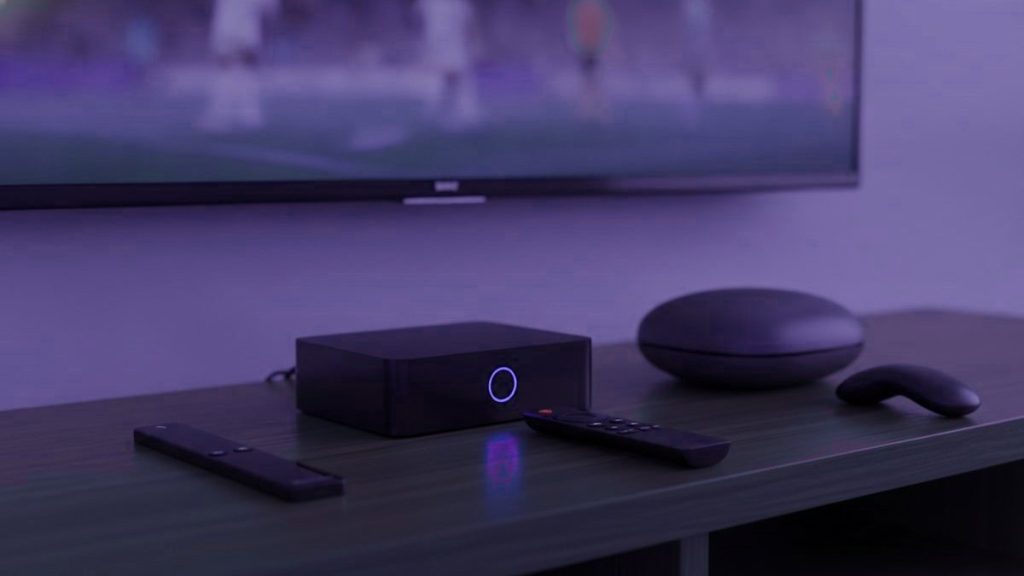
An IPTV box is unnecessary for most households, and where one is needed a $40 stick generally beats a $180 dedicated unit. Before any money is spent, take stock of what is already in the room. A smart television built since 2016, a streaming stick you already own, or a laptop will have you watching this evening at no cost whatsoever.
The short version
Begin with the hardware you have. Should something need buying, a Fire TV Stick 4K between $30 and $50 answers almost every case. Go further only for a television used every day, or where you want a remote and a guide that behave like a proper set-top box.
Check what you have first
- A Samsung or LG set from 2016 onward. Both run players from their own stores. No extra hardware at all, and nothing installed on a television that may belong to a landlord.
- An existing Fire TV Stick or Android TV device. Already capable; it only needs a player installed.
- A phone, tablet or laptop. Ideal for testing before committing to anything, and the fastest option in the first week after a move.
- An Apple TV. Runs IPTV Smarters Player from the tvOS store.
Take the trial on whatever you already own. Establish that the service carries your country’s channels and holds up on your connection before deciding what to run it on, rather than the other way round.
One question to settle before you spend anything
How long do you expect to be at this address? It sounds beside the point and it is not. A Fire TV Stick weighs almost nothing, fits in hand luggage, works on any HDMI port anywhere in the world, and carries no registration tied to a location. A MAG or Formuler box is a box, with a power supply, and its portal is bound to its MAC address, which means telling us when you move so the routing can follow you.
None of that is difficult, but if there is a reasonable chance you will be in another country within a year or two, the stick is the better buy even where the box is technically superior. Buy the box when you have stopped moving.
The options
| Device | Price | TiViMate? | Verdict |
|---|---|---|---|
| Fire TV Stick 4K / Max | $30 – $50 | Yes, sideloaded | What most households should buy |
| Chromecast with Google TV | $40 – $50 | Yes, from Play Store | Tidier to set up, nothing to sideload |
| Generic Android box | $40 – $90 | Usually | A lottery. Insist on 2 GB of RAM at least |
| MAG 5xx | $120 – $160 | No, portal-based | Plain, dependable, feels like a cable box |
| Formuler Z11 | $140 – $180 | Yes, plus MyTVOnline | What the enthusiasts settle on |
| Nvidia Shield | $150 – $200 | Yes | Quickest there is, and more than anyone needs |
| Roku | $30 – $100 | No | Not the platform for this |
Why the Fire TV Stick wins on value
The thing costs less than a single month of most cable packages, carries 4K without protest, and Amazon marks it down heavily several times a year. The one awkwardness is that Amazon does not stock TiViMate, so that has to be sideloaded through Downloader, a five-minute job. Our Firestick guide names each menu you pass through.
Skip the non-4K Lite unless the budget is genuinely tight; it caps at 1080p, which defeats the point of paying for Ultra HD feeds.
Worth knowing if you bought yours in another country: the hardware is not region-locked and the Amazon account travels with you. The store catalogue changes, but since you are sideloading the player anyway that barely signifies. Plug it into any television, anywhere, and it behaves the same.
What the expensive boxes actually buy
A remote built for the job. Dedicated buttons for the channel list, the guide and the favourites, rather than streaming controls pressed into service. On a set used daily that counts for more than any figure printed on the carton.
No sideloading, ever. A MAG runs from a portal tied to the box itself, so there is nothing to install and nothing to update.
A faster guide. Dedicated hardware redraws a very large channel list noticeably quicker than a stick doing the same work, and the lists this audience uses tend to be large, because they span several countries.
Set against that: three to five times what a stick costs, plus an actual object to carry. Sound value in a living room you mean to keep, poor value in a spare bedroom or on a six-month lease. Both are covered in our MAG and Formuler guide.
Why Roku is the wrong choice
As hardware for mainstream streaming Roku is very good indeed, which makes the assumption an entirely reasonable one. The trouble is that it allows no sideloading and stocks almost none of the established players, with TiViMate missing altogether. That leaves a thin selection and screen mirroring, which functions but is a poor way to watch television every evening.
There is an additional problem for anyone reading this from outside the United States: what the Roku store carries varies by country and changes without notice, so a player a friend recommends may simply not exist where you are. If you already own one, our Roku guide covers the two methods that do work. If you are choosing now, buy something else.
Buying a generic Android box
- No less than 2 GB of RAM, and 4 if you can. Underneath that, a long channel list crawls.
- Certified Android TV rather than a phone build, or the Play Store will hide the television apps from you.
- An Ethernet port. Cabled beats wireless for live streams, consistently and everywhere.
- A named brand. Unbranded boxes frequently ship modified firmware of unknown origin, and that is a poor thing to put on a home network.
- Pay no attention to core counts. Four quick cores beat eight sluggish ones, and this is precisely the specification listings lie about.
- Check the plug and the voltage if you are buying in one country to use in another. It is a small thing that ruins an evening.
Buying hardware in one country to use in another
Worth thinking about for ten minutes before ordering anything, because a few of these mistakes are irreversible once the parcel arrives.
The power supply is the obvious one. A stick powered over USB is indifferent to where it is, but a box with its own adapter may not be, and a plug shape is easier to solve than a voltage mismatch. Check both rather than assuming.
Less obvious is the remote and the store. A Fire TV Stick bought in one country and used in another works perfectly, though the Amazon store catalogue follows your account rather than your location. Since the player you want is being sideloaded anyway, this rarely matters. Android boxes are similarly indifferent. Where it does matter is any device tied to a regional store you can no longer reach, which is the same problem described in the Roku and Apple sections above.
Finally, if somebody is bringing hardware over in a suitcase for you, ask for the model number rather than the description. A great many boxes are sold under names that differ only by a suffix, and the difference between two of them is frequently whether they output 4K at all.
The upgrade that beats all of them
Where buffering is the complaint, buying hardware is usually the wrong response. An Ethernet adapter at $12 resolves more streaming trouble than any box will, because stuttering is nearly always a network problem rather than a processing one. Wi-Fi at nine in the evening, in a room at the far end of the flat, in a building where every household is streaming something, is exactly where live television comes apart. That holds anywhere and it is markedly worse in dense apartment blocks, which is where a great many readers of this page live. Run the cable before spending $180 on a box that will walk into precisely the same wall.
What we would buy
Nothing to begin with. Test on whatever is already there. After that, a Fire TV Stick 4K with an Ethernet adapter beside it if the set is old or sluggish, which comes to roughly $50 and settles the overwhelming majority of cases. A Formuler or a MAG only for a principal television, in a home you expect to still be in next year.
All of them work with an IPTV4Cheap account, issued as a standard Xtream Codes login. Instructions for every device are in the setup hub, and the prices are on the pricing page.
Frequently asked questions
Do I need to buy a box at all?
Usually not. A Samsung or LG set from 2016 onward runs a player from its own store, and an existing Firestick, Apple TV, phone or laptop will all work. Test on what you own first and decide about hardware afterwards, once you know the service is worth keeping.
Which box is best if I do buy one?
A Fire TV Stick 4K at $30 to $50 for almost everyone. A Formuler Z11 or MAG 5xx at $120 to $180 if this is a main television used daily and you want a proper remote and a faster guide. The Nvidia Shield is the quickest of the lot and overkill for most homes.
Does it matter that I might move country again?
It does, more than people expect. A stick travels in hand luggage, works on any HDMI port and carries no location binding. A MAG or Formuler portal is tied to the box's MAC address, so a move means telling us in order to have the routing follow you. Buy the box once you have settled.
Why not a Roku?
No sideloading, and its store carries almost none of the established players, with availability differing by country and changing without warning. Mirroring works as a fallback and makes a poor daily experience. Roku is good hardware for other things and the wrong choice for this.
Will a faster box stop the buffering?
Rarely. Most stuttering is a network problem rather than a processing one, so a $12 Ethernet adapter fixes far more of it than a $180 box will. Try the cable first, especially in an apartment block where the wireless spectrum is crowded every evening.
Ready to find your own channels among 25,000+?
Order on WhatsApp from any country and the login arrives in under 15 minutes, backed by a 7-day refund window.
Related articles
IPTV for Expats: Getting the Channels From Home Right the First Time
Living abroad and missing television from home? How to check a channel list for your country, line up the guide with your…
September 19, 2026IPTV for Families Abroad: How Many Screens You Really Need
How many simultaneous streams does a family abroad really need? A five-minute way to count them, plan prices per household and per…
September 19, 2026Taking Your IPTV Subscription on the Road: A Traveler’s Checklist
Your IPTV login works in a hotel just as it does at home. What changes is the Wi-Fi, the device you pack,…