
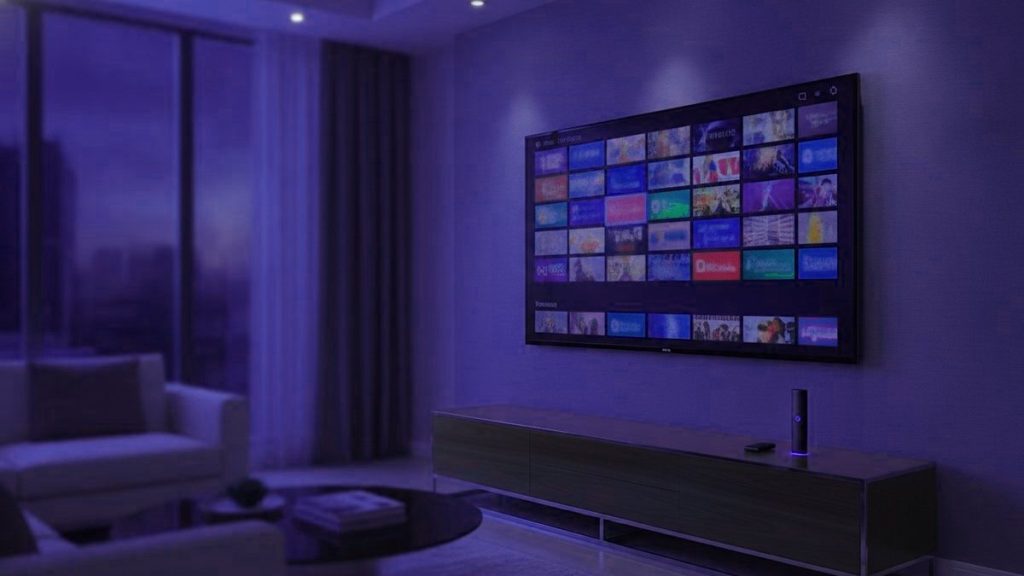
IPTV is television carried over your internet connection instead of a cable, a dish or an aerial. A player app holds a login, and channels arrive as ordinary data, in the same way a video call does. That is the entire concept. Everything below concerns the part that decides whether you actually enjoy it, which for anyone watching a long way from where the programme was broadcast is a rather different question than it is at home.
The idea in one sentence
Broadcasting pushes every channel to everybody continuously; IPTV sends one channel to one viewer on request. Almost everything else about how it behaves, including why it sometimes fails, follows from that single difference.
Why this question is usually asked by someone who has moved
People rarely go looking for an explanation of IPTV out of technical curiosity. They go looking because they have moved country and discovered that the television in front of them carries none of what they used to watch. The national broadcaster from home is not there. The league they have followed since childhood is on a channel that does not exist in this market, or exists behind a subscription sold only to residents with a local bank account. A satellite dish would mean a landlord conversation, an installer, and three weeks.
That is the position this technology answers well, and it is worth naming plainly, because most explanations of IPTV are written as though the reader is choosing between it and cable in their own country. A great many readers are not choosing between anything. They simply want the channels they grew up with, on the television in the flat they have just rented.
What happens when you press a channel button
Your player opens a connection to a server. The server begins sending that one channel and nothing else, cut into numbered chunks a few seconds long. The app collects several of them before it shows you anything, keeps collecting while you watch, and plays from that small reserve.
That reserve is the buffer, and understanding it explains very nearly every complaint anyone has about IPTV. A full buffer gives a perfect picture. When the connection stumbles, or the server has more people on it than it was sized for, the buffer drains faster than it refills, and at the moment it empties the picture stops. Buffering is not a channel breaking. It is a player waiting for data that has not arrived yet.
The reason this matters more when you are abroad is simple geography. Data leaving a server in London and arriving in a flat in Dubai crosses more networks, more exchanges and more opportunities for delay than the same data travelling across one city. Nothing is broken; there is just further to go, and more places along the route where a few chunks can be held up. A well-run provider answers that by putting servers near the people watching rather than near the broadcaster, and by keeping more than one copy of every busy channel so there is always a lower-bandwidth version to fall back on.
Why two households on the same broadband get different results
Two homes with identical connections can have completely different experiences of the same service, and the broadband is rarely the explanation.
- How many people share each server. A provider undercutting everyone has bought thin capacity, and it shows the instant a match kicks off. Nothing about your setup changed; the queue in front of you did.
- Whether channels have fallback bitrates. A channel carried in 4K, HD and SD gives you somewhere to step down to. A channel carried at one bitrate either works or it does not.
- Distance to the server. The further the data travels, the more chances it has to be delayed. This is the factor most articles ignore and the one that matters most to the audience reading this.
- What your line actually does at nine in the evening, which is not the number printed on the bill, and which in some countries is a great deal lower than in others.
Which is why testing on a weekday morning tells you nothing at all. Every provider looks competent with half-empty servers. Test at the worst hour you can find, on the channels you actually care about, from the connection you will actually be using.
This is not the same thing as Netflix
| Streaming platforms | IPTV | |
|---|---|---|
| Your own country | Whatever the local catalogue holds | National broadcasters from dozens of countries |
| Live sport | Next to none | Why most people subscribe in the first place |
| News as it happens | No | Yes, from several countries at once |
| What you receive | A catalogue of finished programmes | Channels running to a schedule, and a catalogue |
| Schedule grid | Does not apply | Yes, laid out the way you remember |
They solve different problems. A streaming platform replaced the video shop; IPTV replaces a cable package. That is why the people who switch tend to be those who were paying for cable mostly to watch sport and news, and why people living outside their own country switch in even greater numbers: no local platform is going to carry the evening news from the place they came from.
The time-zone problem nobody warns you about
Here is something that catches out almost everybody in the first week. Your programme guide can show times in the broadcaster’s zone rather than your own, so a fixture listed at three in the afternoon kicks off at eleven at night where you are sitting, or the reverse. People miss the first half and blame the service.
Every serious player has a time-zone setting, and setting it correctly on the first evening is worth ten minutes. TiViMate keeps it in the main settings; IPTV Smarters takes the zone from the device, which means a phone still set to the country you left will get every single listing wrong. Fix the device clock in that case rather than hunting for a setting inside the app.
The related habit worth forming is catch-up. A guide with catch-up lets you play something that aired while you were asleep, which when you are eight hours ahead of the broadcast is not a convenience but the main way you will watch anything.
What you actually need
A steady connection. Roughly 25 Mbps for a 4K stream, about 10 for HD. Consistency beats peak speed, because the buffer cares about the gaps rather than the average. Where Wi-Fi is weak near the television, a cheap Ethernet adapter resolves more complaints than any other single change, and that is doubly true in older buildings with thick walls.
Something to run a player on. A Fire TV Stick, an Android box, a Samsung or LG set from 2016 onward, an Apple TV, a computer, or a MAG or Formuler box. You almost certainly own one already, and if you are moving again within a year or two, a stick that fits in hand luggage is the wiser purchase.
A player app. IPTV Smarters Pro or TiViMate for most people. Both are empty shells holding no channels whatsoever until a subscription is entered into them, which is far and away the commonest source of first-day confusion.
A subscription. The part that costs money and the part that decides quality. Everything above is commodity hardware and free software.
The vocabulary, briefly
An Xtream Codes login is three values: a server address, a username and a password. Most modern players want exactly these and handle everything else themselves. It is the easier route and what we issue by default.
An M3U link is one long address carrying the same credentials inside it as parameters, suited to players such as VLC and Kodi that expect a playlist file rather than a login form. Treat it exactly as you would a password, because functionally that is what it is. This matters more than it sounds: the commonest way people lose control of an account is by forwarding that link to a relative in another country as a favour.
The EPG is the programme guide. Maintaining it across thousands of channels in dozens of languages is dull, continuous work with no marketing value at all, which is precisely why its condition tells you something reliable about how an operation is run.
Is it legal?
The technology is entirely legal and thoroughly mainstream; your telephone company very probably uses it. The question that matters is whether a given provider holds distribution rights for what it carries, and in this market that is frequently unclear from the outside. It is also a question whose answer changes depending on which country you are sitting in, which is a complication people who have recently moved should take seriously rather than assume travels with them. Our article on legality treats that properly rather than waving it away.
How to judge a provider
- A free trial, spent at peak hours rather than on a quiet morning, and spent searching for your own country’s channels specifically.
- Prices published openly. Having to ask means being priced individually, and being priced individually abroad rarely works in your favour.
- Written refund terms stating a number of days.
- Support that answers before you pay, and answers at an hour that suits you rather than them. It will not improve after the money clears.
- A real website. Sellers who exist only inside a social media account can vanish, and do.
Ours are on the pricing page and the trial page, and you should apply exactly the same test to us as to anybody else. Once you have a login, the setup guides cover each device in turn, and getting from payment to first channel usually takes under a quarter of an hour, wherever in the world you happen to be doing it.
Frequently asked questions
How does IPTV work in simple terms?
A provider takes television channels, compresses them into internet-sized streams and holds them on servers. Your player signs in with a username, password and server address, asks for a channel, and the server sends that one channel to your device alone. It is the same mechanism as playing a video online, applied to live television.
Will it work in the country I have moved to?
Almost always, because it needs nothing but a broadband connection and something to run an app on. What varies is the route between you and the server, which is why a trial on your own connection is worth more than any promise on a sales page. Some countries throttle streaming at peak hours, and that is worth testing for specifically.
Is IPTV the same as Netflix or YouTube TV?
Technically all three are television over internet protocol. The difference is that Netflix and YouTube TV are closed services with their own app and licensed catalogue, while an IPTV subscription is an open login that works in any compatible player and carries far more live channels. Netflix is never part of an IPTV plan; only titles that also happen to be on Netflix are.
Do I need to buy a box?
No. Anything that runs an app will do: a Fire TV Stick, Android TV, a Samsung or LG set from 2016 onward, an Apple TV, a phone or a laptop. Dedicated boxes such as Formuler and MAG are optional and mostly buy you a better remote and a faster guide.
What speed does it need?
About 10 Mbps for HD and 25 Mbps for 4K, per simultaneous stream. Steadiness matters more than the headline figure, and a cable to the router removes the commonest cause of evening stuttering. On an unfamiliar connection abroad, test before assuming the service is at fault.
Ready to find your own channels among 25,000+?
Order on WhatsApp from any country and the login arrives in under 15 minutes, backed by a 7-day refund window.
Related articles
IPTV for Expats: Getting the Channels From Home Right the First Time
Living abroad and missing television from home? How to check a channel list for your country, line up the guide with your…
September 19, 2026IPTV for Families Abroad: How Many Screens You Really Need
How many simultaneous streams does a family abroad really need? A five-minute way to count them, plan prices per household and per…
September 19, 2026Taking Your IPTV Subscription on the Road: A Traveler’s Checklist
Your IPTV login works in a hotel just as it does at home. What changes is the Wi-Fi, the device you pack,…